
A closer look at PiClimb
Real screens from the app, from your first digits to a long climb from memory.
Climb π, digit by digit
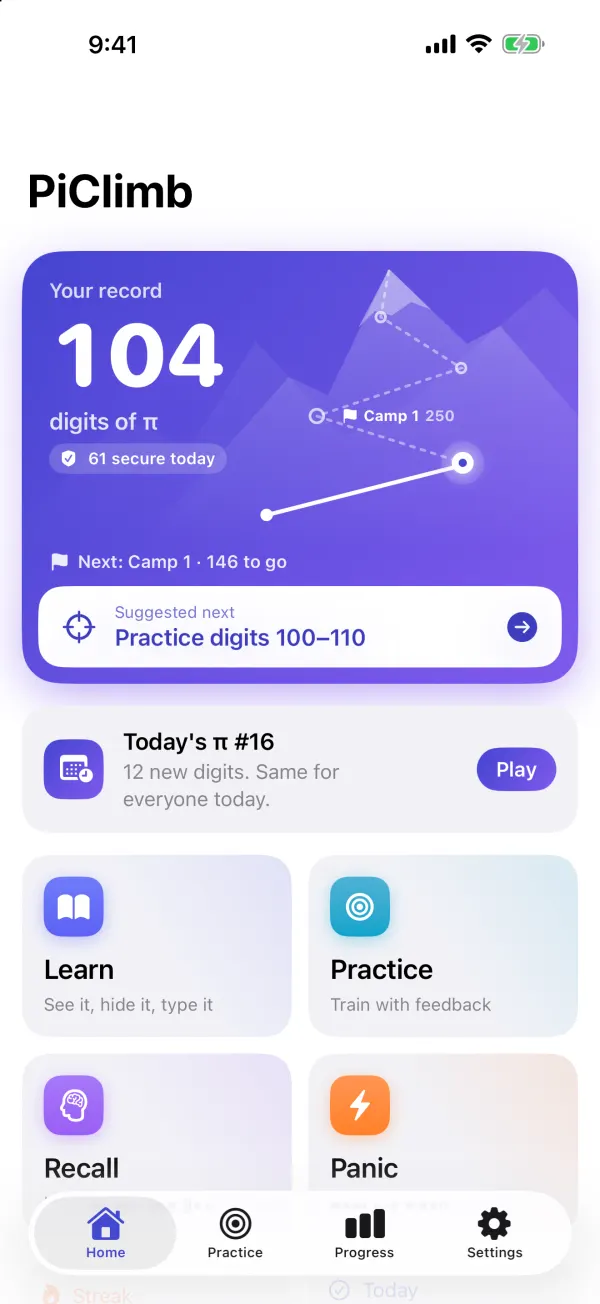
Your record is the climber on the mountain, with Base Camp at 100 and the Feynman Point at 762 along the way. Home always suggests your next step and shows how many digits are secure today.
Every digit in view
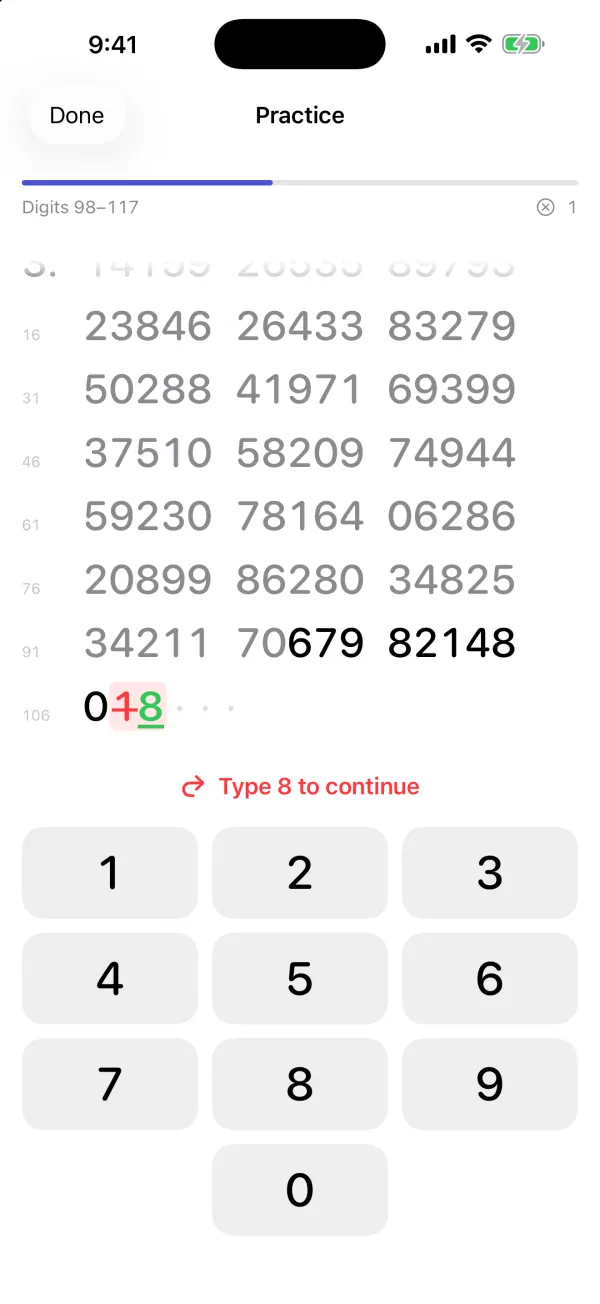
Feedback on every digit. Continue where you are, choose your own range, or let PiClimb target the spots where you slip. A mistake shows the right digit, and you type it before moving on.
Learn in small chunks
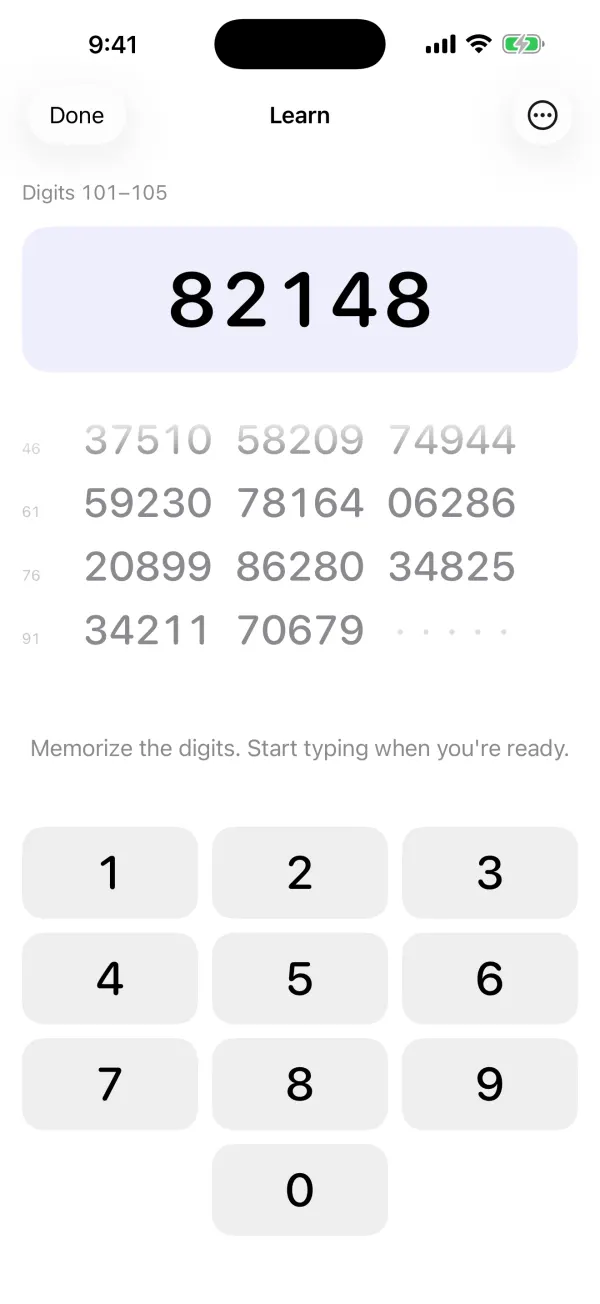
See a chunk of 2 to 10 digits, start typing and it hides. Type it from memory, and a mistake shows it again. After every third chunk, the recent stretch is reviewed without help.
Beat the clock
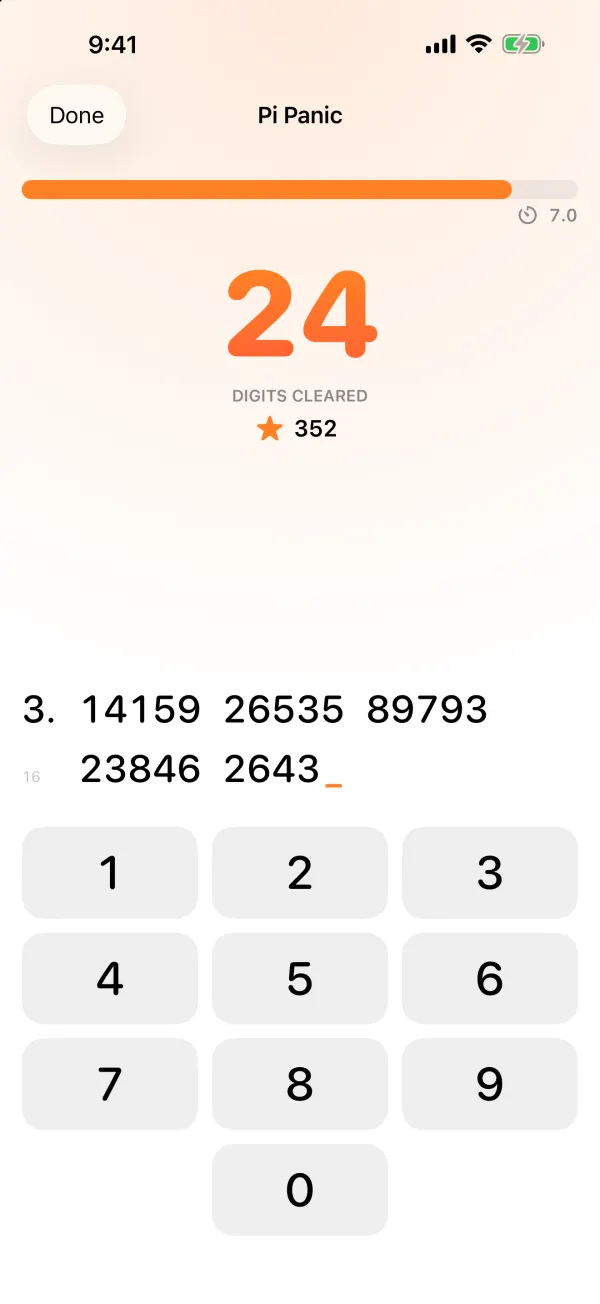
A fast arcade mode with a draining time bar, where every correct digit buys a little more time. Play from the first decimal for records and leaderboards, or on random stretches of the digits you already know.
Watch your climb
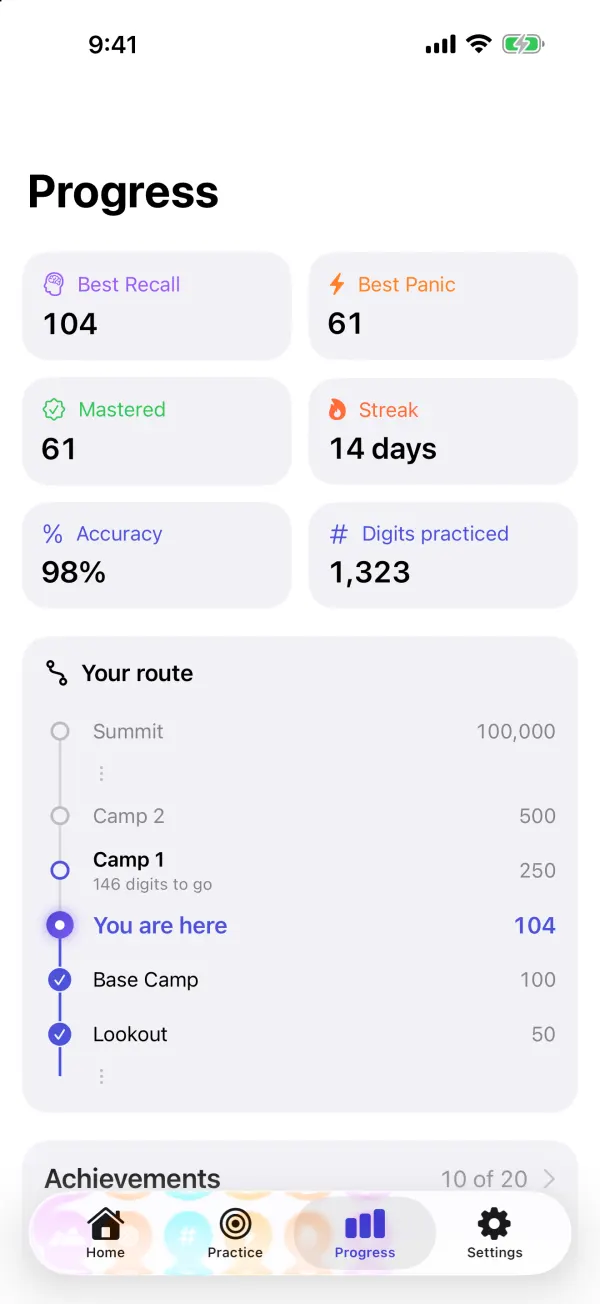
Bests, mastered digits, streak and accuracy at a glance, your route up the mountain, a confidence map for every 10 digits and 20 achievements to unlock.
A new π every day
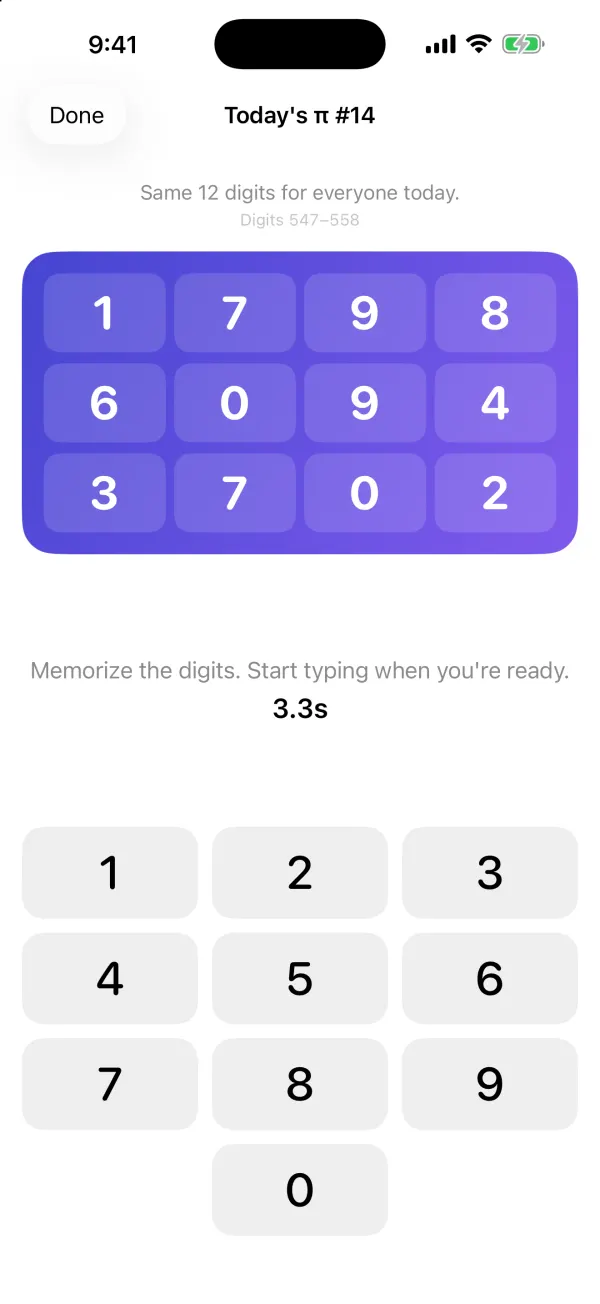
The same 12 digits for everyone, every day. Memorize them, type them and share your result as a grid of squares. Today's π is kept apart from your training.
And also
Tools for remembering
Spaced repetition brings back what's due, a listen mode plays π as a voice or a melody, and pi poems and your own memory notes give the digits something to hold on to.
Challenge a friend
Send a Recall or Pi Panic result as a link. Your friend plays with your score on screen and sees right away who climbed higher.
Widgets
Home Screen and Lock Screen widgets show how far you've climbed, your streak and Today's π.
Start climbing
3.14159… and how far after that? Find out today.
Free · iPhone, iPad & Apple Watch